
Looksy for Premiere.
Select a cut. Pick a look. Apply.
A panel inside Premiere Pro. Built from Premiere's own effects, on your real clips in about a third of a second. No After Effects, no MOGRTs, no rendering.
Premiere Pro 2025 (25.6)+ · Creative Cloud · Free updates
110 looks. Your footage.
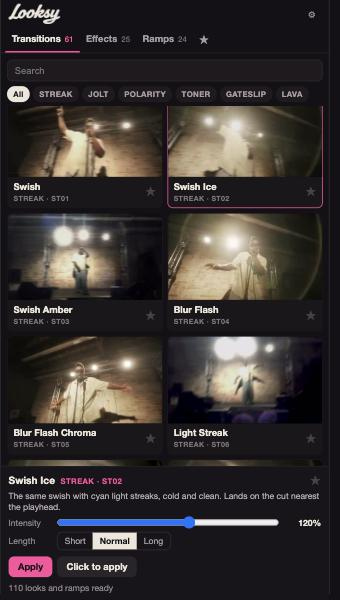
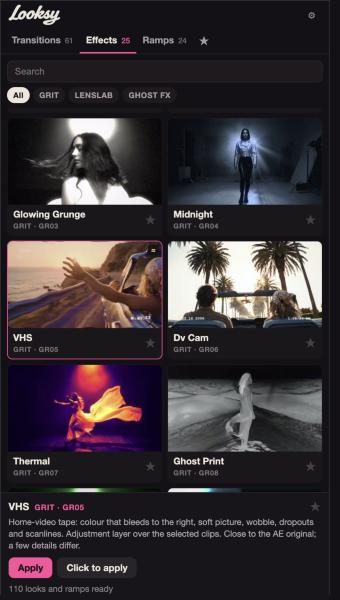
61 transitions, 25 effects and 24 speed ramps. From these seven packs, brought into Premiere.
Free updates as more packs come over.
Right on the timeline.
Three ways in
Select a cut or a clip and click Apply. Use Click to apply, then click your clips. Or drag a tile onto the timeline strip in the panel.
Dial it in
Intensity slider. Short, Normal or Long transitions. Everything lands as normal Premiere effects and keyframes, in one undo step.
Keep your cut
Speed ramps into a clip's head, out of its tail, or both. Your cut stays put.
Keep Track.
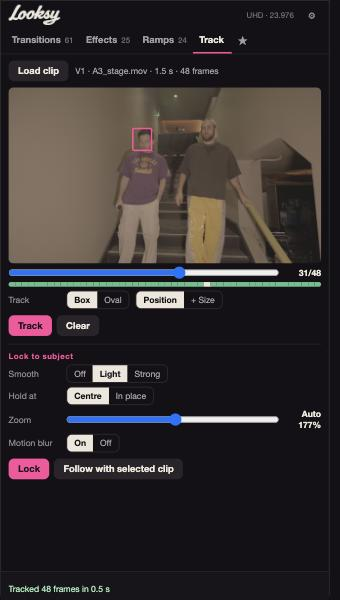
Draw a box. Lock the shot to the subject, or make a title follow it.
Fits your setup?
| Premiere Pro | 2025 (25.6) or newer, installed through Creative Cloud |
|---|---|
| Install | Double-click Looksy.ccx to install. |
| Tested on | Premiere Pro 2026 on macOS |
| License | One person, on their own computers. No sharing or resale. |
| Updates | Free, as more packs come over |